Management/Non-Represented Plan Design Retirees

The annual open enrollment period for your 2026 Nokia health and welfare benefits coverage is: October 13, 2025 – October 24, 2025. You will find most of your enrollment information online through this Enrollment Information page here on BenefitAnswers Plus.
You may enroll online or by telephone as follows:
You may learn about your 2026 coverage choices and costs — as well as enroll in and/or change your Nokia health and welfare benefits coverage — online on the Your Benefits ResourcesTM (YBR) website, or by calling the Nokia Benefits Resource Center at 1-888-232-4111 (TTY 711) during these dates and times. Representatives are available from 9:00 a.m. to 5:00 p.m., ET, Monday through Friday.
Please note:
To access your personalized benefits information and to enroll, you will need your YBR User ID and password.
If you have forgotten your User ID/password, go to the YBR website, select “Forgot User ID or Password?” and follow the prompts to get a new one.
If your preferred telephone number — home or mobile — is already on file with the YBR website, a one-time access code will be provided to you by telephone or text message, as applicable. You may also answer your security questions if you have previously completed them. If none of these are on file with YBR, you will need to request a temporary password be sent to you by US Postal Service Mail. It may take up to 10 days to receive your password through the mail. (For security purposes, access codes cannot be sent via email.)
Tip: If you have not done so already, add your preferred phone number — home or mobile — to your personal information in your YBR website profile today. Log on to the YBR website, select the profile icon  at the top right of the page, then “Personal Information” and enter your phone number where indicated.
We strongly recommend that you add a mobile phone number to take advantage of additional security and text messaging capabilities — including the ability to quickly reset a forgotten YBR User ID and/or password using a one-time access code that can be sent to your mobile phone via text message. Standard text message rates apply.
Please note: If you have previously elected electronic delivery of benefits communications, adding your mobile phone number to your personal information on YBR will not affect email delivery of those communications. Benefits communication will continue to be sent to your email address on file.
If you have not done so already, add your preferred phone number — home or mobile — to your personal information in your YBR website profile today. Log on to the YBR website, select the profile icon at the top right of the page, then “Personal Information” and enter your phone number where indicated.
Tip: Having your mobile phone number on file gives you access to additional security and text messaging capabilities — in particular, the ability to quickly reset a forgotten YBR website User ID and/or password or Nokia Benefits Resource Center personal identification number (PIN) using a one-time access code that can be sent to your mobile phone via text message. Standard text message rates apply. (For security purposes, access codes cannot be sent via email.)
To access your personalized benefits information or to enroll by phone, you will need your phone PIN. If you have forgotten your PIN, call the Nokia Benefits Resource Center to request a new one as soon as possible.
If you have previously added your preferred telephone number — home or mobile — to the YBR website, a one-time access code (temporary PIN) will be sent to you by telephone or text message, as applicable, and you will be able to quickly reset your PIN. We strongly recommend that you add a mobile phone number to your personal information on file to take advantage of text messaging and additional security capabilities. Standard text message rates apply.
If you do not have a preferred phone number on file, you will need to request that a temporary PIN be sent to you by US Postal Service Mail. It may take up to 10 days to receive your temporary PIN through the mail. (For security purposes, temporary PINs cannot be sent via email.)
Tip: Do not wait until you need your PIN to add your preferred phone number to your personal information on file. If you have not done so already, log on to the YBR website today, select the profile icon at the top right of the page, then “Personal Information” and enter your preferred phone number where indicated.
Connect with your Nokia benefits anytime, anywhere with the Alight Mobile app. Use the app to review, enroll in or make changes to your benefits quickly and easily, at your convenience.
To download the Alight Mobile app on your mobile device:
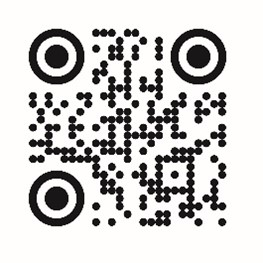
Once you have downloaded the app, follow these steps:
Your default coverage is the Nokia health and welfare benefits coverage in which you and your covered dependent(s) will be enrolled automatically for 2026 if you do not take any action during the annual open enrollment period.
Because your default coverage for 2026 may, in some cases, be different from your 2025 coverage, it is your responsibility to confirm that your 2026 default coverage shown on the YBR website during the annual open enrollment period is the coverage you want for 2026.
Here is how to find your default coverage starting Monday, October 13, 2025:
The copy of your default coverage record will be mailed to your address on file within 7 to 10 business days.
Note: If you have signed up to receive communications from the Nokia Benefits Resource Center electronically, the copy will be sent to your Secured Participant Mailbox on YBR within one business day.
The easiest and most convenient way to access the information you need to enroll continues to be through the YBR website during the annual open enrollment period. However, if you prefer to have a copy of the annual open enrollment kit sent to you, you can make your request through the Nokia Benefits Resource Center. Here is what you need to do:
Your annual open enrollment kit will be mailed to your address on file within 7 to 10 business days. Note that annual open enrollment kits are always sent via US Postal Service Mail, even if you have signed up to receive communications from the Nokia Benefits Resource Center electronically.
You may view your annual open enrollment communication materials here on BenefitAnswers Plus starting on October 13, 2025. Shortly before then, you will receive a mailing from Nokia with details about what’s changing for 2026.
Your default coverage is the Nokia health and welfare benefits coverage in which you and your covered dependent(s) will be enrolled automatically for 2026 if you do not take any action during the annual open enrollment period. It is your responsibility to confirm that your 2026 default coverage shown on the YBR website is the coverage you want for 2026.
Confirming your default coverage is quick and easy. See “Starting October 13: Check your default coverage online or by telephone” under “Your annual open enrollment action steps” on the left for information.
Your 2026 enrollment materials will be posted here as they become available: